



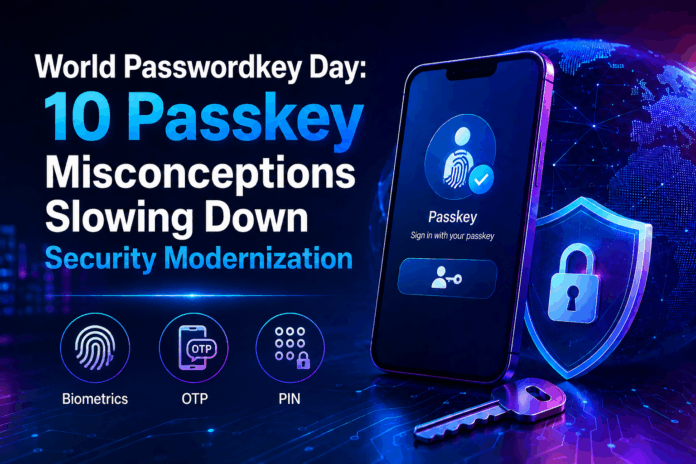
The security industry is good at identifying effective solutions, validating technology and securing regulatory approval, but it often stalls its own progress by endlessly revisiting decisions long after they’ve been settled. Passkeys are a clear example: despite the FIDO2 standard being well proven and battle tested, deployment strategies already established, and regulators actively encouraging adoption, organizations continue to recycle the same objections in meetings and reviews, allowing misconceptions to slow down real progress.
World Passkey Day on May 7 exists to close that gap.
Bojan Simic, CEO and co-founder of HYPR, has provided Cybersecurity Insiders with the top 10 misconceptions that hold organizations back and the corresponding realities:
1. “Passkeys are just a fancier word for PIN-based MFA”
This is the foundational misunderstanding that everything else builds on — and it’s the most common one we hear from non-technical buyers.
PIN-based MFA is still a shared secret. Your PIN is created, stored, and verified by a server somewhere, which means it can be stolen, guessed, or leaked in a breach. The entire threat surface that has fueled two decades of credential-based attacks lives in that server-side copy of your secret.
Passkeys work on an entirely different principle. Your device generates a private/public key pair unique to each site or app. The private key never leaves your device. The server stores only the public key — which is mathematically useless to an attacker on its own. The PIN you sometimes use with a passkey (to unlock your device locally) never touches the network at all. It’s just the gate to your private key, not the credential itself.
Calling a passkey a “fancier PIN” is like calling a vault door a “fancier padlock.” The category difference is the whole point.
2. “Passkeys still rely on shared credentials”
This one hits hardest with security-literate audiences — the people who understand credential exposure well enough to be skeptical of any system that sounds like it might still have the same underlying problem.
It doesn’t.
The entire premise of a shared credential — where both the user and the server hold a copy of the same secret — is precisely what passkeys were engineered to eliminate. When you authenticate with a passkey, your device signs a unique cryptographic challenge using your private key. The server verifies the signature using only your public key. No secret is exchanged. No credential is transmitted. Nothing is stored on the server side that an attacker could weaponize.
A database breach at a passkey-enabled service exposes public keys. Those are mathematically useless without the private key that never left your device. This isn’t a stronger version of the shared credential model — it’s the end of it.
3. “Passkeys only work for consumers, not enterprise”
This misconception was partially true in 2022, when passkey support was mostly limited to consumer apps built by Apple and Google. Security teams that evaluated the landscape then and moved on are working from an outdated map.
That world no longer exists.
Enterprise identity providers — including Okta, Microsoft Entra, Ping, and HYPR — now support FIDO2-based passkeys at scale. Organizations can provision, manage, and revoke passkeys through their existing IAM infrastructure. Device-bound passkeys, which don’t sync across consumer cloud services, give enterprise security teams precise control over credential lifecycle without surrendering visibility.
The consumer rollout was the proving ground. The enterprise deployment playbook is already written — and organizations in financial services, healthcare, and critical infrastructure are running on it today.
4. “If I lose my device, I lose access forever”
This is the fear that stalls more passkey deployments than any other. The logic sounds airtight: passkey lives on phone, phone is gone, access is gone. It’s the first objection raised in nearly every IT security review, and it’s almost always the reason a deployment gets pushed to “next quarter.”
It conflates the passkey with the only possible recovery path — and that’s not how enterprise deployments are designed.
In practice, organizations deploy passkeys alongside layered account recovery flows: backup codes, secondary enrolled authenticators, helpdesk-verified re-enrollment, or synced passkeys across trusted devices. Device-bound passkeys in enterprise environments have admin-managed recovery built into the provisioning system. Losing your device is an inconvenience — the same way losing a hardware token today triggers a recovery workflow, not a permanent lockout.
The recovery problem is a solved problem. It just requires the same operational planning that any credential management program already demands.
5. “Passkeys require biometrics”
Face ID and Touch ID are the most visible parts of the passkey experience on consumer devices, so the conflation is understandable. If every passkey demo you’ve seen ends with a fingerprint scan, it’s natural to assume that’s the standard.
It isn’t.
Biometrics are one method of local device verification — they’re how your device confirms you are the authorized user before releasing the private key. The FIDO2 standard supports PINs, patterns, and other local verification methods as equally valid alternatives. The biometric never leaves your device, and neither the server nor the authenticator protocol requires it.
This distinction matters enormously for enterprise deployments. Frontline workers, shared-device environments, manufacturing floors, clinical settings, and organizations operating in jurisdictions with biometric data regulations can all deploy passkeys without collecting a single fingerprint. The authentication standard is flexible. The consumer UX just made one option look mandatory.
6. “Passkeys aren’t ready for regulated industries”
The compliance objection sounds like risk management. In practice, it’s often the opposite — staying with passwords in a regulated environment is increasingly the compliance liability.
Passkeys are not new to regulators. NIST SP 800-63B explicitly endorses FIDO2 authenticators as AAL2 and AAL3-capable — the highest assurance levels in the federal identity framework. PCI-DSS v4.0’s mandate for phishing-resistant MFA directly favors passkey adoption. CISA and the NSA have both published guidance naming FIDO2 as the recommended standard for phishing-resistant authentication.
Healthcare organizations subject to HIPAA, financial institutions under PCI, and federal contractors under FedRAMP all have clear regulatory pathways to passkey deployment — and growing regulatory pressure to get there. The question regulated industries should be asking isn’t “can we use passkeys?” It’s “how long can we justify not using them?”
7. “Passkeys are a Google/Apple thing — we don’t control them”
This is the vendor lock-in fear dressed up as a security concern — and it’s one of the most common objections enterprise security leaders raise once they get past the basics.
The assumption runs like this: passkeys live in Apple Keychain or Google Password Manager, which means credentials, users, and recovery flows are all at the mercy of a platform the organization doesn’t own or control. That’s a legitimate concern — if you’re only looking at the consumer implementation.
It’s not the full picture.
Enterprise passkey platforms give organizations complete control over credential issuance, lifecycle management, and recovery — independent of any device ecosystem. Passkeys don’t have to live in iCloud. They can live in your infrastructure, governed by your policies, visible in your audit logs, and revocable by your administrators. The choice between platform-managed and enterprise-managed passkeys is a deployment decision, not a limitation of the FIDO2 standard itself. Organizations that want sovereignty over their authentication stack have always had that option. They just need a platform built for it.
8. “All passkeys are the same”
Of all the misconceptions on this list, this is the one most likely to create a real security gap — because it leads organizations to make architecture decisions based on an incomplete model.
The word “passkey” covers two meaningfully different implementations with very different security profiles.
Synced passkeys — backed up to iCloud Keychain, Google Password Manager, or similar services — are designed for consumer convenience. They roam across devices, survive hardware loss, and prioritize seamless recovery. For most consumer use cases, that’s the right trade-off.
Device-bound passkeys stay on a single authenticator and never leave it. No cloud sync. No cross-device roaming. They are significantly more appropriate for high-assurance enterprise environments where the threat model includes supply chain attacks, insider threats, or regulatory requirements for strict key custody.
An enterprise CISO treating a synced passkey as equivalent to a device-bound hardware authenticator is accepting risk they may not have formally accounted for. Choosing the right type for your threat model isn’t a UX decision — it’s a security architecture decision.
9. “Legacy systems can’t support passkeys”
Legacy infrastructure is the most frequently cited reason for delaying passkey adoption — and in our experience, it’s almost always an overstatement of the actual technical barrier.
Most organizations don’t need to replace their core systems to support passkeys. They need a FIDO2-capable identity layer sitting in front of them. Modern enterprise passkey platforms are designed to integrate with existing directories, VPNs, VDIs, and on-prem systems without requiring a full-stack overhaul. The integration work is real — but it’s scoping and sequencing work, not a fundamental incompatibility.
“Our systems can’t support it” almost always means “we haven’t mapped the integration path yet.” That’s a planning problem, not a technical ceiling. Passkey adoption is incremental modernization — the kind that can be staged across a 12-month roadmap rather than a multi-year platform replacement. Organizations that frame it as the latter are often using complexity as a reason to delay rather than a problem to solve.
10. “Passkeys create more friction for users”
The friction objection is almost always about fear of the change management process, not a genuine assessment of the user experience. And it’s worth separating those two things — because conflating them leads to the wrong solution.
The experience data is consistent: users prefer passkeys. Faster login, no passwords to remember, no waiting for an SMS code that may or may not arrive. Every major enterprise passkey rollout — including Google’s internal deployment across tens of thousands of employees — has reported higher user satisfaction compared to the password-plus-MFA baseline.
The organizations that struggle with adoption almost universally share one trait: they deployed without communicating the why. Users were handed a new login flow with no context for what changed or why it was better. That’s a communication failure, not a technology failure. Passkeys don’t create friction — unclear rollouts do. The fix is a change management strategy, not a different authentication standard.
Identifying the Pattern
Across all 10 objections, a clear pattern emerges. They reflect three core anxieties: whether the technology truly works, whether organizations will lose control, and whether users will adopt it.
While these are valid concerns for any security shift, passkeys already have well-documented, real-world answers. The issue isn’t capability but how effectively the industry has communicated it.
Moments like World Passkey Day help drive focus, but the real priority is ensuring that organizations, especially those in critical infrastructure, regulated sectors, and hybrid environments, have accurate information and deployment-ready solutions. The real question now isn’t whether passkeys work, but whether organizations can afford to keep delaying their adoption.
Learn more at hypr.com.
Join our LinkedIn group Information Security Community!